FANUC A61L-0001-0095 9-inch Monochrome LCD Replacement Guide
Product Overview
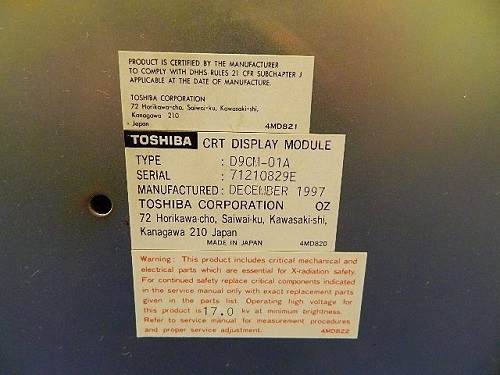
The FANUC A61L-0001-0095 is a 9-inch monochrome CRT display originally used in FANUC CNC systems. As these CRT displays age, they suffer from brightness loss, flickering, and eventual failure. Our LCD replacement kit provides a cost-effective, reliable solution with modern LCD technology while maintaining 100% compatibility.
Key Specifications
- Model: A61L-0001-0095
- Type: 9-inch monochrome LCD (replaces CRT)
- Display: Monochrome (green/amber on black)
- Interface: HONDA 20-pin signal connector
- Power: DC 24V (compatible with original CRT power supply)
- Compatibility: FANUC 0i/16i/18i series CNC systems
- Mounting: Identical to original CRT dimensions
Why Replace Your CRT?
Monochrome CRT displays have a typical lifespan of 15-20 years. Common issues include:
- Reduced brightness and contrast (harder to read in bright workshops)
- Flickering or image distortion
- Complete failure due to cathode ray tube wear
- Difficulty obtaining replacement parts (discontinued by manufacturer)
- High energy consumption compared to LCD
LCD technology solves these problems by providing stable, glare-free monochrome display with a lifespan of 50,000+ hours.
Installation Guide
Step 1: Safety Preparation
Power down the CNC system and disconnect the main power supply. Wait 5 minutes for capacitors to discharge completely. Verify no voltage present before proceeding. Wear anti-static wrist strap when handling electronic components.
Step 2: Remove Existing CRT
Carefully disconnect the HONDA 20-pin signal cable and power connector from the back of the CRT. Remove mounting screws (typically 4-6 screws) and gently slide the CRT unit out of the control cabinet. Be careful not to damage the CRT glass.
Step 3: Prepare LCD Kit
Unpack the A61L-0001-0095 LCD kit and verify all components are present: LCD panel, mounting brackets, cables, and installation manual. Check the LCD panel for any shipping damage. Confirm the HONDA 20-pin connector is intact.
Step 4: Install LCD Panel
Position the 9-inch monochrome LCD panel using the same mounting points as the original CRT. The A61L-0001-0095 is designed with identical dimensions - it's a direct drop-in replacement requiring no modifications to the cabinet or mounting holes.
Step 5: Connect Cables
Connect the HONDA 20-pin signal cable to the LCD interface. Connect the DC 24V power cable to the original power supply connector. Ensure all connections are secure and properly seated. The LCD kit is designed to work with the original power supply - no additional power adapters needed.
Step 6: Test and Verify
Restore power and boot the CNC system. Verify the display shows clear, stable monochrome images. Check all display functions including:
- Text display clarity (letters, numbers, G-codes)
- Graphics and tool path display
- Alarm messages and diagnostics (should display clearly in monochrome)
- Menu navigation and parameter settings
- Backlight uniformity across the entire screen
Key Advantages
- Direct Replacement: Same mounting dimensions as original 9-inch CRT - no drilling or modifications required
- 100% Compatible: HONDA 20-pin interface matches original CRT specification
- Monochrome Clarity: Sharp, glare-free display with adjustable brightness
- Industrial Grade: Designed for 24/7 operation in harsh industrial environments (dust, vibration, temperature fluctuations)
- Long Lifespan: LCD technology rated for 50,000+ hours (equivalent to 15+ years of normal use)
- Energy Efficient: Consumes 60% less power than CRT (reduced heat generation)
- Warranty: 2-year warranty included
Professional Tips
- Take photos of the original wiring before disconnecting for reference
- Label all cables during removal to ensure correct reconnection
- Test the display for at least 30 minutes before closing the cabinet
- Keep the original CRT as a spare or for future reference
- Clean the LCD screen with isopropyl alcohol and lint-free cloth only
- Adjust brightness and contrast settings after installation for optimal readability
Technical Support
For replacement support or technical inquiries, contact us:
Email: szkongto01@foxmail.com
Phone: +86-13686889647
Address: Nanjing, China
Business Hours: Monday-Friday 9:00-18:00 (GMT+8)